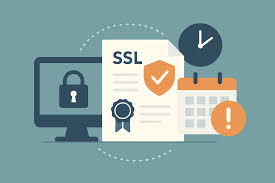
Learn how to run a full SSL/TLS certificate health check, verify expiration, issuer, encryption algorithms, and trust chain using an SSL Certificate Checker.
An SSL/TLS certificate protects your website visitors by encrypting data and securing connections over HTTPS. But an expired, misconfigured, or weak certificate can break trust, cause browser warnings, and even block access to your site.
That’s why regular SSL/TLS health checks are essential for security, SEO, and uptime. This guide walks you through a complete step-by-step audit to verify your certificate and eliminate risks.
Why SSL/TLS monitoring matters
- prevents “Not Secure” browser warnings
- protects user data and logins
- improves SEO rankings (HTTPS is a ranking factor)
- avoids unexpected downtime
- ensures modern encryption standards
Even a single day of certificate expiration can cost traffic, sales, and user trust.
Step 1 — Run an SSL certificate scan
Start by analyzing your domain with an SSL Certificate Checker.
The tool instantly retrieves your certificate details and highlights configuration problems, including expiration risks and trust issues.
Complete SSL/TLS audit checklist
✅ 1. Check expiration date
- verify “Valid From” and “Valid To” dates
- renew at least 2–4 weeks early
- enable auto-renewal if possible
Expired certificates immediately trigger browser security warnings and block visitors.
✅ 2. Verify the issuer (Certificate Authority)
- confirm the CA is trusted (DigiCert, Sectigo, Let's Encrypt, etc.)
- avoid unknown or self-signed certificates for production sites
Untrusted issuers may cause browsers to flag your site as unsafe.
✅ 3. Inspect encryption algorithms
- use SHA-256 or stronger
- avoid SHA-1 or outdated hashes
- prefer RSA 2048+ or ECC keys
Weak encryption can expose data to attacks and reduce overall security scores.
✅ 4. Validate the certificate chain
- ensure intermediate certificates are installed
- check full trust chain to root CA
- fix “incomplete chain” errors
Missing intermediate certificates often cause SSL errors on mobile devices and older browsers.
✅ 5. Confirm domain coverage
- verify correct domain or wildcard
- check subdomains (www, api, shop, etc.)
- avoid hostname mismatch errors
A mismatch leads to immediate browser security warnings.
✅ 6. Test protocol support
- enable TLS 1.2 and TLS 1.3
- disable SSLv3 and TLS 1.0/1.1
Older protocols are vulnerable and may fail compliance checks.
Example health check report
- Expiration: 45 days left ⚠
- Issuer: Trusted CA ✅
- Encryption: TLS 1.3 + SHA-256 ✅
- Chain: Complete ✅
- Protocol: TLS 1.0 enabled ❌
Action required: renew soon and disable outdated protocols.
How often should you check SSL?
- eCommerce → weekly
- business websites → monthly
- personal projects → every 2–3 months
Automated monitoring is highly recommended for production environments.
Common mistakes to avoid
- forgetting renewals
- using self-signed certificates publicly
- ignoring intermediate certificates
- keeping outdated TLS versions enabled
- not testing after server migrations
Final thoughts
A secure SSL/TLS setup isn’t “set and forget.” Regular checks protect your users, maintain SEO performance, and prevent unexpected downtime.
Use an SSL Certificate Checker to quickly validate your certificate and keep your website safe, trusted, and fully compliant.